
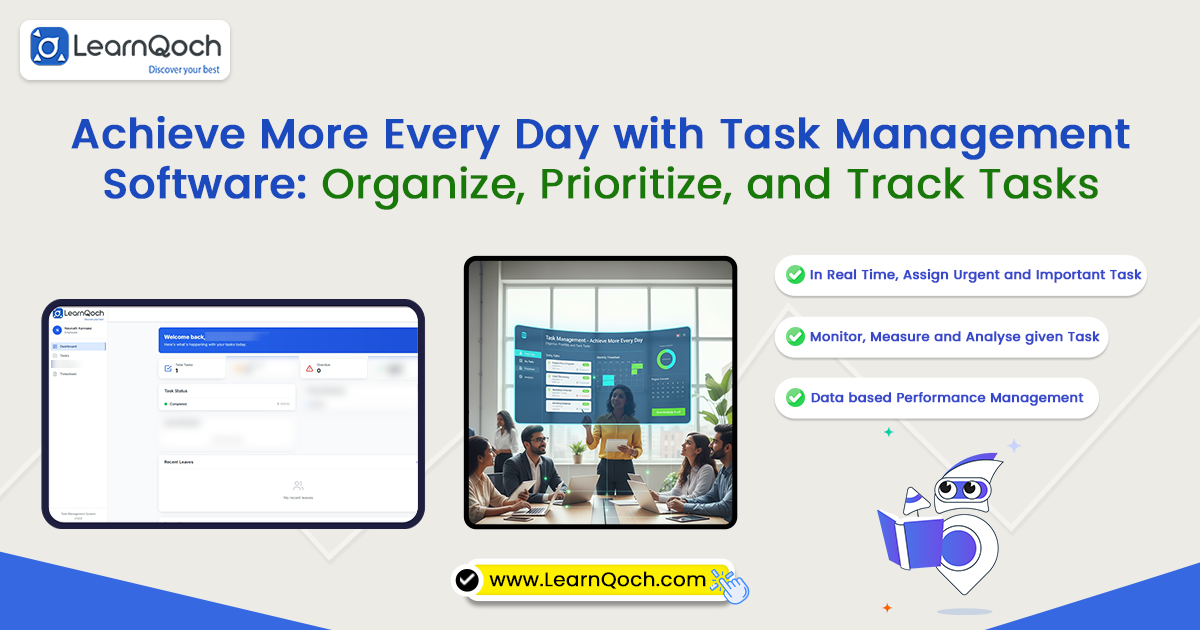
Achieve More Every Day with Task Management Software: Organize, Prioritize, and Track Tasks


The Importance of Efficient Task Management
In today’s dynamic work environment, professionals face a growing challenge: juggling multiple tasks, meeting tight deadlines, and collaborating effectively with teams. Employees may have responsibilities assigned by managers, personal initiatives to manage, and projects with overlapping timelines. Without proper organization, even the most dedicated professionals can struggle to stay on top of their workloads, resulting in missed deadlines, decreased efficiency, and increased stress. In alignment with NEP 2020, which emphasizes efficiency, digital adoption, and outcome-based workflows, organizations are increasingly turning to solutions like LearnQoch Task Management Software to streamline operations and improve productivity.
Task management software has emerged as an indispensable tool for individuals and organizations alike. By providing a structured, automated approach to handling daily tasks, tools like LearnQoch Task Management Software not only improve productivity but also foster accountability, transparency, and collaboration. From adding tasks to tracking progress and generating timesheets automatically, LearnQoch Task Management Software ensures that no responsibility is overlooked while supporting NEP 2020’s vision of structured, technology-driven work environments.
With intelligent automation and seamless coordination, LearnQoch Task Management Software enables teams to stay organized, meet deadlines efficiently, and maintain consistent performance in a fast-paced digital ecosystem.
Understanding Task Management Software
At its core, task management software is a powerful digital solution that enables users to plan, organize, and track work efficiently. Unlike traditional methods such as sticky notes, notebooks, or scattered spreadsheets, these platforms bring everything together in one centralized dashboard. This centralization of tasks not only ensures clarity and accuracy but also enhances team coordination and visibility across projects.
Moreover, by digitizing daily task management, organizations can reduce manual errors, streamline communication, and maintain real-time progress tracking. Whether it’s assigning responsibilities, setting deadlines, or monitoring completion status, task management software provides a clear structure that boosts productivity and helps both managers and employees stay aligned toward common goals.
Modern task management software typically includes features like:
- Task creation and assignment
- Deadline management with reminders
- Priority settings
- Progress tracking and completion marking
- Automated reporting and timesheet generation
By automating these processes, organizations can save countless hours of manual effort, while employees benefit from a clear roadmap of their responsibilities.
Key Benefits That Make Task Management Software Essential
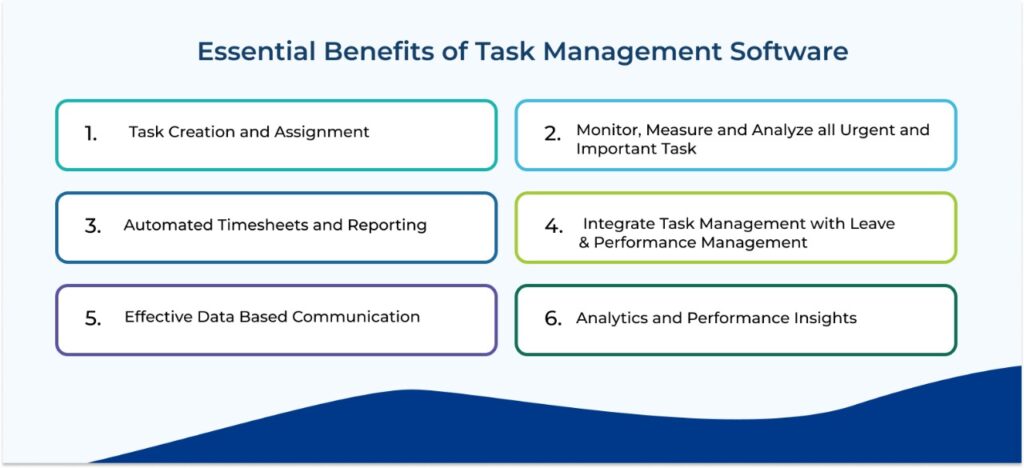
1. Task Creation and Assignment
The ability to create and assign tasks is a foundational feature. Users can add tasks, assign them to themselves or team members, set deadlines, and categorize tasks by priority or project. This feature eliminates confusion, ensuring everyone knows what needs to be done, by whom, and by when.
2. Monitor, Measure and Analyze all Urgent and Important Task
Tracking the progress of each task is vital for maintaining accountability. Once a task is completed, it can be marked as done, providing a visual representation of accomplishments. This motivates employees and allows managers to monitor overall team progress efficiently.
3. Automated Timesheets and Reporting
A standout feature of task management software is the automatic generation of timesheets. Every task entered into the system contributes to monthly reports, which can be exported in Excel or PDF formats. This not only saves time but also ensures accuracy and transparency, eliminating the need for tedious manual tracking.
4. Integrate Task Management with Leave and Performance Management
Most task management platforms include built-in collaboration features. Team members can comment on tasks, attach relevant files, and communicate directly within the platform. This centralizes all task-related communication, reduces dependency on emails or messaging apps, and ensures that information is easily accessible to everyone involved.
5. Effective Data Based Communication
Efficient task management requires precise scheduling. Users can set specific deadlines and receive reminders to ensure timely completion. Time-sensitive tasks are less likely to be forgotten, and deadlines can be managed without stress.
6. Analytics and Performance Insights
Advanced task management software offers analytics tools that provide insights into productivity patterns. Managers can track task completion rates, identify bottlenecks, and make informed decisions to optimize workflows. Employees, in turn, can review personal productivity trends and adjust their work habits to improve efficiency.
The Broad Benefits of Task Management Software
For Trustees
For trustees, task management software brings transparency and efficiency to institutional oversight. It allows them to monitor ongoing projects, track progress, and ensure that strategic goals are being met. Moreover, with real-time updates, trustees no longer need to wait for lengthy reports to understand performance trends. Automated analytics simplify decision-making and highlight areas that require attention. Ultimately, this enables trustees to focus more on long-term vision and less on daily operational follow-ups.
For Deans
For deans, task management software acts as a bridge between faculty, administration, and management. It streamlines academic planning, tracks departmental goals, and ensures accountability across all teaching and research activities. Additionally, real-time dashboards provide clarity on workload distribution and progress. With simplified reporting and performance insights, deans can make data-backed decisions faster. As a result, coordination improves, and time spent on manual updates significantly decreases.
For Principals
For principals, task management software transforms how they supervise and support their teams. It offers a complete overview of daily operations, helping identify priorities and bottlenecks quickly. Furthermore, automated reports and timelines make performance evaluation more precise and consistent. By enhancing communication between departments, it ensures that everyone works toward common institutional goals. This allows principals to shift their focus from constant monitoring to strategic leadership and mentorship.
For Administrators
For administrators, task management software simplifies complex workflows and improves operational efficiency. It consolidates all departmental activities into a single dashboard, making it easier to assign, track, and complete tasks on time. Moreover, automation reduces repetitive paperwork and human error. With clear timelines and progress tracking, administrators can ensure smooth coordination across teams. Consequently, daily operations become more transparent, organized, and aligned with institutional objectives.
For Employees
Task management software empowers employees to work smarter, stay organized, and achieve goals efficiently. Acting as a digital personal assistant, it helps structure the workday by clearly defining priorities and deadlines. Employees can easily track their progress, manage multiple tasks without confusion, and stay focused on what matters most. By streamlining daily workflows and eliminating guesswork, task management tools create a more organized, productive, and stress-free work environment where every task contributes meaningfully to overall success.
- Organized Workflows: Employees can view all their assigned and personal tasks in one place. Clear priorities and timelines ensure nothing slips through the cracks.
- Stress Reduction: With a visual roadmap of responsibilities, employees can concentrate on one task at a time without feeling overwhelmed.
- Increased Efficiency: Automated timesheets and task tracking eliminate manual documentation, allowing employees to invest more time in meaningful work.
- Enhanced Accountability: Every task is clearly assigned with deadlines, helping employees understand expectations and take ownership of their work.
Overall, task management software creates a structured, transparent work routine where employees can plan effectively, execute confidently, and deliver results consistently.
How Task Management Software Transforms Productivity
Task management software transforms productivity in several ways, creating a more efficient, organized, and accountable work environment:
- Prioritization of Tasks: Employees can focus on high-priority tasks first, ensuring deadlines are met.
- Optimized Time Management: Scheduling and reminders allow tasks to be completed systematically.
- Enhanced Accountability: With clear assignments and visible progress, employees are motivated to complete tasks on time.
- Automation of Repetitive Work: Timesheet generation, reporting, and notifications reduce manual effort.
- Improved Team Collaboration: Team members can communicate, share files, and coordinate tasks efficiently within the platform.
- Informed Decision-Making: Managers can analyze completion data to improve resource allocation and workflow planning.
Additional Insights: Why Task Management Software Is a Must-Have
In addition to daily task tracking, modern task management software provides several strategic advantages:
- Remote Work Enablement: With many organizations adopting hybrid or fully remote models, centralized task management ensures teams remain connected and productive.
- Scalability: Whether managing a small team or a large organization, task management software scales effortlessly.
- Customization: Users can tailor dashboards, reports, and task views to meet their specific needs.
- Integration: Many platforms integrate with calendars, email systems, and project management tools, creating a seamless workflow ecosystem.
- Motivation and Engagement: Visible progress tracking and timely feedback increase employee engagement and motivation, fostering a culture of accountability and performance excellence.
Furthermore, statistics show that organizations using task management software can improve project completion rates by up to 30–40% and reduce missed deadlines significantly. Employees also report feeling less stressed and more organized, highlighting the dual benefit of efficiency and employee well-being.
Choosing the Right Task Management Software
Selecting the right tool depends on your organization’s needs. Here are some factors to consider:
- Ease of Use: The platform should be intuitive for employees and managers.
- Collaboration Features: Ensure real-time commenting, file sharing, and notifications are available.
- Reporting and Analytics: Choose a tool that provides automated timesheets and insights.
- Integration Capabilities: The software should connect with calendars, email, and other productivity tools.
- Customization: The ability to categorize tasks, set priorities, and personalize dashboards is essential.
Popular options include Trello, Asana, Monday.com, ClickUp, and Microsoft Planner, each with unique features tailored to different team sizes and workflow requirements.
Conclusion: Unlock Maximum Productivity with Task Management Software
Task management software is far more than a simple digital to-do list—it is a comprehensive productivity solution. By centralizing tasks, tracking progress, automating reports, and enhancing collaboration, it transforms how individuals and organizations operate.
For employees, task management software creates clear structure, eases stress, and encourages accountability. Meanwhile, managers gain real-time insights, streamline workflows, and improve team coordination. At the organizational level, it enhances efficiency, promotes transparency, and drives overall productivity.
In a competitive and fast-paced work environment, adopting task management software is no longer optional—it is a strategic necessity. By streamlining daily tasks and automating timesheets, organizations can ensure tasks are completed on time, projects are successful, and teams are motivated to perform at their best.
The LearnQoch AI powered Academic Platform
LearnQoch goes further by providing an integrated platform that covers all aspects of institutional growth:

Institutional Digital Ecosystem: Categories & Modules
A. LearnQoch AI powered Core Academic & Learning Solutions
Facilitates modern teaching and learning while tracking student progress, assignments, assessments, and course outcomes.
Focuses on measuring learning outcomes to ensure skills, competencies, and academic objectives are met effectively.
- LearnQoch AI powered Academic Calendar & Events
Maintains academic schedules, holidays, events, and exam timelines for seamless yearly planning.
- LearnQoch AI powered Class Module
Manages class creation, faculty allocation, and student grouping while supporting timetable integration.
B. LearnQoch AI powered Examination & Evaluation Management
LearnQoch AI Powered Exam Management Module
A unified system that digitizes the entire exam cycle—right from planning, subject allocation, ATKT processing, and scheduling to question paper creation, assessments, evaluation, and result generation. It ensures transparency, accuracy, and smooth coordination across all departments.
C. LearnQoch AI powered Campus Administration & Operations
Streamlines administrative activities, simplifies student data management, and ensures workflow automation across all departments.
- LearnQoch AI powered Task Management
Organizes, prioritizes, and tracks institutional tasks to improve productivity and accountability.
- LearnQoch AI powered Committee Module
Handles committee formation, roles, activities, and meeting records to maintain governance transparency.
- LearnQoch AI powered Document Management
Stores, organizes, and retrieves institutional documents with version control and compliance tracking.
- LearnQoch AI powered Certificate Management
Manages creation and issuance of academic and administrative certificates such as Bonafide, character, and leaving certificates.
D. LearnQoch AI powered Finance & Fees Management
- LearnQoch AI powered Finance Module – Receivable (Fees)
Tracks payments, manages fee categories, handles tuition/fines, and maintains fee-related records.
- LearnQoch AI powered Advanced Fees
Payments made before the due date, helping institutions and parents manage fee planning efficiently.
- LearnQoch AI powered Excess Fees
Extra amount paid unintentionally; recorded for adjustment in future payments or refunded when necessary.
E. LearnQoch AI powered Library & Resource Management
LearnQoch AI powered Library Module
Manages book registration, issue-return process, renewals, student access, and availability tracking for efficient library operations.
F. LearnQoch AI powered Placement & Career Development
- LearnQoch AI powered Placement Module
Manages job postings, student registration, interview updates, and final offer letters with complete transparency for TPOs and students.
- LearnQoch AI powered Skill Development Solutions
Equips students with future-ready skills to enhance employability and prepare for global career opportunities.
G. LearnQoch AI powered Accreditation & Compliance
LearnQoch AI powered NAAC, NBA & NIRF Compliance
Simplifies reporting, monitoring, and auditing with ready-to-use compliance tools that reduce institutional workload.
H. LearnQoch AI powered Digital Presence & Branding
LearnQoch AI powered Website & Digital Marketing Solutions
Helps institutions build a strong online presence, attract prospective students, and engage key stakeholders effectively.
Don’t Just Take Our Word for It—Try LearnQoch Yourself!
We invite you to experience the transformative impact of LearnQoch’s AI powered Digitize Platform with a 14-Day Free Trial.
During this period, our team will implement the software for your institution, allowing you to explore its features firsthand and see the difference it can make in academic management.
👉 Are you ready to lead your institution into the future of campus management?
📞 Contact us at +91 84519 01079
📧 Email: info@learnqoch.com / sales@learnqoch.com
Explore What LearnQoch Offers:
Visit www.learnqoch.com for Full Details
Also Read,
Why Institutions Prefer Real-Time Performance Tracking?
Automatically Create Class Timetable with LearnQoch Software.
The Secret Behind Error-Free Timetables: How Smart Automation Creates Perfect Timetable?
Struggling with Scheduling? Try LearnQoch Timetable Software
One Platform, Integrated Solutions: Use LMS with Timetable by LearnQoch.