



Struggling with Scheduling? Try LearnQoch Timetable Software


Introduction: The Challenge of Lecture Scheduling
Managing academic schedules is one of the most time-consuming and complex tasks in any educational institution. Coordinating daily, weekly, and monthly lectures for multiple teachers across different classes is a logistical challenge. Human errors, teacher absences, and overlapping schedules can easily disrupt the learning process, reduce classroom efficiency, and create frustration for both staff and students. In alignment with the vision of NEP 2020, which emphasizes structured, technology-driven, and efficient academic planning, institutions are now adopting smart digital solutions like LearnQoch Timetable Management to overcome these challenges.
Timetable management software is designed to address these challenges by providing a centralized, automated solution. With LearnQoch Timetable Management, institutions can consider teacher availability, existing engagements, and class requirements to ensure lectures are planned efficiently, conflicts are avoided, and substitutes are assigned seamlessly. Supporting NEP 2020 goals of flexibility, transparency, and outcome-based education, LearnQoch Timetable Management transforms scheduling from a tedious manual process into a streamlined, accurate, and time-saving workflow.
What is Timetable Management Software?
Timetable management software is a comprehensive digital solution designed to help educational institutions efficiently plan, manage, and track teacher lectures across daily, weekly, and monthly schedules. Unlike traditional manual methods such as paper schedules, spreadsheets, or sticky notes, this software centralizes all scheduling information in a single, easy-to-access platform. By doing so, it eliminates confusion, reduces errors, and ensures that every teacher, class, and subject is accounted for accurately.
With this centralized system, administrators can assign lectures based on teacher availability, prevent overlapping classes, and quickly identify free slots for substitutions when a teacher is absent. Teachers benefit from clear visibility of their schedules, helping them manage their day effectively without the risk of overbooking or missed lectures. Furthermore, timetable management software often integrates with other educational tools, such as attendance systems and learning management platforms, creating a seamless academic ecosystem.
Overall, this software not only saves valuable administrative time but also enhances operational efficiency, improves classroom organization, and ensures a smooth and uninterrupted learning experience for students and faculty alike.
Key features include:
- Daily, weekly, and monthly lecture planning based on teacher availability
- Automatic conflict detection when assigning classes
- Substitute management for absent teachers
- Real-time updates and notifications for teachers and administrators
- Customizable schedules for different departments, courses, and classrooms
By leveraging these features, institutions can save hours of administrative work, reduce scheduling errors, and improve overall classroom efficiency.
How LearnQoch’s Timetable Software Helps Plan Teacher Lectures
LearnQoch’s Timetable Software simplifies the planning of teacher lectures by providing a centralized platform to organize daily, weekly, and monthly schedules. It allows administrators to assign classes based on teacher availability, prevent scheduling conflicts, and quickly find substitutes when needed. Teachers gain clear visibility of their lectures, reducing confusion and overbooking. With real-time updates and automated notifications, the software ensures smooth classroom management and uninterrupted learning for students.
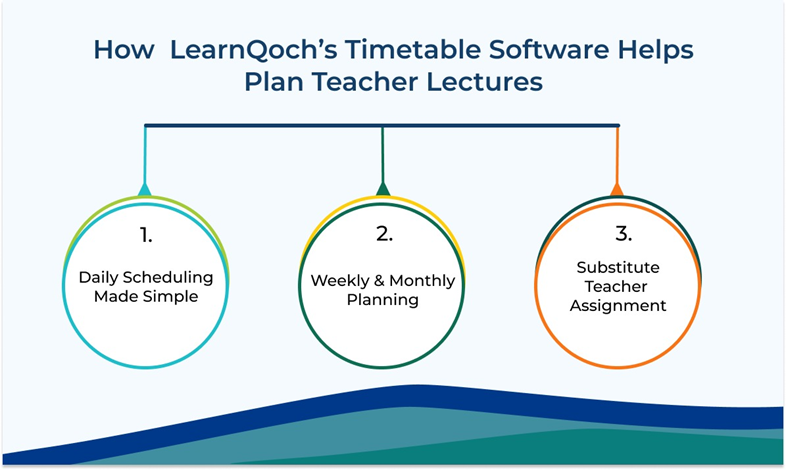
1. Daily Scheduling Made Simple
Every day, teachers have multiple lectures to conduct, often across different classrooms or subjects. Timetable software allows administrators to:
- Assign lectures based on teacher availability
- Ensure no overlaps or double-bookings occur
- Automatically generate daily schedules that teachers can access digitally
This ensures that both teachers and students know exactly where they need to be, reducing confusion and improving punctuality.
2. Weekly and Monthly Planning
Planning only one day at a time is inefficient. Timetable software provides a weekly and monthly view, allowing administrators to:
- Pre-schedule lectures weeks in advance
- Adjust schedules based on teacher availability, holidays, or events
- Ensure smooth transitions between classes and subjects
With this capability, institutions can maintain continuity in learning and minimize disruptions due to last-minute changes.
3. Substitute Teacher Assignment
Teacher absences are unavoidable. Traditionally, finding a replacement is time-consuming, requiring manual checks of availability. Timetable software simplifies this by:
- Showing which teachers are available for a particular time slot
- Preventing double-booking by sending alerts if a teacher is already engaged
Automatically assigning substitutes and notifying them digitally
This ensures that classes continue without interruption, maintaining academic quality and minimizing administrative stress.
Benefits of Using LearnQoch Timetable Management Software
LearnQoch Timetable Management Software helps educational institutions plan, organize, and track lectures efficiently. It reduces scheduling conflicts, ensures substitute teachers are assigned seamlessly, and provides real-time updates for administrators and teachers. With a centralized digital platform, all schedules are easily accessible on mobile or desktop, saving time and minimizing errors. By automating daily, weekly, and monthly planning, it enhances productivity, improves classroom efficiency, and ensures uninterrupted learning for students.
For Administrators
- Time Efficiency: Reduce hours spent manually creating schedules
- Error Reduction: Eliminate overlaps, conflicts, and duplicate entries
- Real-Time Updates: Instantly adjust schedules when teachers are absent
- Centralized Management: All scheduling data stored in one platform for easy access
For Teachers
- Clear Daily Plans: Know exactly which classes to conduct
- Availability Awareness: Avoid clashes and over-scheduling
- Easy Access: Digital access to schedules via mobile or desktop
- Stress Reduction: Focus on teaching rather than administrative coordination.
How Timetable Software Avoids Conflicts
A major feature of timetable software is its advanced conflict detection system. When administrators attempt to assign a lecture, the software immediately checks the teacher’s existing schedule. If the teacher is already engaged during that time, a pop-up alert notifies the administrator, preventing accidental double-booking. Conversely, if the teacher is available, the software allows the slot to be assigned automatically, streamlining the scheduling process.
This real-time validation not only eliminates overlaps but also reduces confusion for both teachers and students, ensuring that every class occurs as planned. By minimizing manual intervention, institutions save significant administrative time, avoid scheduling errors, and ensure that classroom hours are fully utilized. Moreover, the system provides an accurate overview of teacher availability, making it easier to assign substitutes when needed and maintain uninterrupted learning.
Automation and Digital Transformation
Timetable software is a key component of digital transformation in education. By automating lecture scheduling, institutions can:
- Focus on academic quality rather than administrative tasks
- Generate reports on teacher utilization, classroom occupancy, and lecture frequency
- Adapt quickly to changes such as holiday adjustments, staff leaves, or curriculum updates
This level of automation empowers both administrators and educators to work smarter, ensuring students receive uninterrupted and well-organized learning experiences.
Integration with Other Educational Tools
Modern timetable software often integrates with:
- Learning Management Systems (LMS) for course planning
- Attendance tracking systems to monitor class participation
Exam scheduling modules to avoid clashes between lectures and exams - Notifications and reminders for teachers and students
This integration creates a seamless academic ecosystem, reducing administrative burdens and improving operational efficiency.
Case for Adoption: Why Schools Need Timetable Software
- Scalability: Easily manage schedules for multiple classes, subjects, and teachers.
- Flexibility: Adjust schedules instantly for unexpected changes.
- Transparency: Teachers, students, and administrators can view schedules in real-time.
- Improved Resource Allocation: Optimize classroom usage and teacher availability.
- Enhanced Academic Planning: Plan lectures, events, and exams without overlaps.
In today’s competitive educational environment, adopting timetable software is not just convenient – it’s a strategic necessity for institutions that aim to provide high-quality, uninterrupted learning.
Conclusion: Transform Your Scheduling Process
Timetable management software is more than a scheduling tool — it is a comprehensive solution for planning, tracking, and optimizing lectures in schools and colleges. By centralizing all scheduling information, automating substitute assignments, and providing real-time conflict alerts, it reduces administrative workload, eliminates errors, and enhances the overall learning experience.
Whether managing daily lessons, weekly plans, or monthly schedules, this software ensures that teachers, students, and administrators stay aligned. It allows institutions to focus on teaching quality, improve operational efficiency, and maintain a structured academic calendar even in the face of unexpected changes.
By embracing digital timetable management, educational institutions can save time, improve transparency, and deliver a seamless academic experience — ensuring that every class is productive, every teacher is informed, and every student benefits from a well-organized learning environment
The LearnQoch AI powered Academic Platform
LearnQoch goes further by providing an integrated platform that covers all aspects of institutional growth:

Institutional Digital Ecosystem: Categories & Modules
A. LearnQoch AI powered Core Academic & Learning Solutions
Facilitates modern teaching and learning while tracking student progress, assignments, assessments, and course outcomes.
Focuses on measuring learning outcomes to ensure skills, competencies, and academic objectives are met effectively.
- LearnQoch AI powered Academic Calendar & Events
Maintains academic schedules, holidays, events, and exam timelines for seamless yearly planning.
- LearnQoch AI powered Class Module
Manages class creation, faculty allocation, and student grouping while supporting timetable integration.
B. LearnQoch AI powered Examination & Evaluation Management
LearnQoch AI Powered Exam Management Module
A unified system that digitizes the entire exam cycle—right from planning, subject allocation, ATKT processing, and scheduling to question paper creation, assessments, evaluation, and result generation. It ensures transparency, accuracy, and smooth coordination across all departments.
C. LearnQoch AI powered Campus Administration & Operations
Streamlines administrative activities, simplifies student data management, and ensures workflow automation across all departments.
- LearnQoch AI powered Task Management
Organizes, prioritizes, and tracks institutional tasks to improve productivity and accountability.
- LearnQoch AI powered Committee Module
Handles committee formation, roles, activities, and meeting records to maintain governance transparency.
- LearnQoch AI powered Document Management
Stores, organizes, and retrieves institutional documents with version control and compliance tracking.
- LearnQoch AI powered Certificate Management
Manages creation and issuance of academic and administrative certificates such as Bonafide, character, and leaving certificates.
D. LearnQoch AI powered Finance & Fees Management
- LearnQoch AI powered Finance Module – Receivable (Fees)
Tracks payments, manages fee categories, handles tuition/fines, and maintains fee-related records.
- LearnQoch AI powered Advanced Fees
Payments made before the due date, helping institutions and parents manage fee planning efficiently.
- LearnQoch AI powered Excess Fees
Extra amount paid unintentionally; recorded for adjustment in future payments or refunded when necessary.
E. LearnQoch AI powered Library & Resource Management
LearnQoch AI powered Library Module
Manages book registration, issue-return process, renewals, student access, and availability tracking for efficient library operations.
F. LearnQoch AI powered Placement & Career Development
- LearnQoch AI powered Placement Module
Manages job postings, student registration, interview updates, and final offer letters with complete transparency for TPOs and students.
- LearnQoch AI powered Skill Development Solutions
Equips students with future-ready skills to enhance employability and prepare for global career opportunities.
G. LearnQoch AI powered Accreditation & Compliance
LearnQoch AI powered NAAC, NBA & NIRF Compliance
Simplifies reporting, monitoring, and auditing with ready-to-use compliance tools that reduce institutional workload.
H. LearnQoch AI powered Digital Presence & Branding
LearnQoch AI powered Website & Digital Marketing Solutions
Helps institutions build a strong online presence, attract prospective students, and engage key stakeholders effectively.
Don’t Just Take Our Word for It—Try LearnQoch Yourself!
We invite you to experience the transformative impact of LearnQoch’s AI powered Digitize Platform with a 14-Day Free Trial.
During this period, our team will implement the software for your institution, allowing you to explore its features firsthand and see the difference it can make in academic management.
👉 Are you ready to lead your institution into the future of campus management?
📞 Contact us at +91 84519 01079
📧 Email: info@learnqoch.com / sales@learnqoch.com
Explore What LearnQoch Offers:
Visit www.learnqoch.com for Full Details
Also Read,
Automatically Create Class Timetable with LearnQoch Software.
The Secret Behind Error-Free Timetables: How Smart Automation Creates Perfect Timetable?
Struggling with Scheduling? Try LearnQoch Timetable Software
One Platform, Integrated Solutions: Use LMS with Timetable by LearnQoch.